Version 1.0 — now keeps itself up to date

The whole service.
One calm screen.

Songs, scripture, announcements, lower thirds and every screen in the building — run by one volunteer, from one place, without the panic.

14-day free trial · No card required · latest version

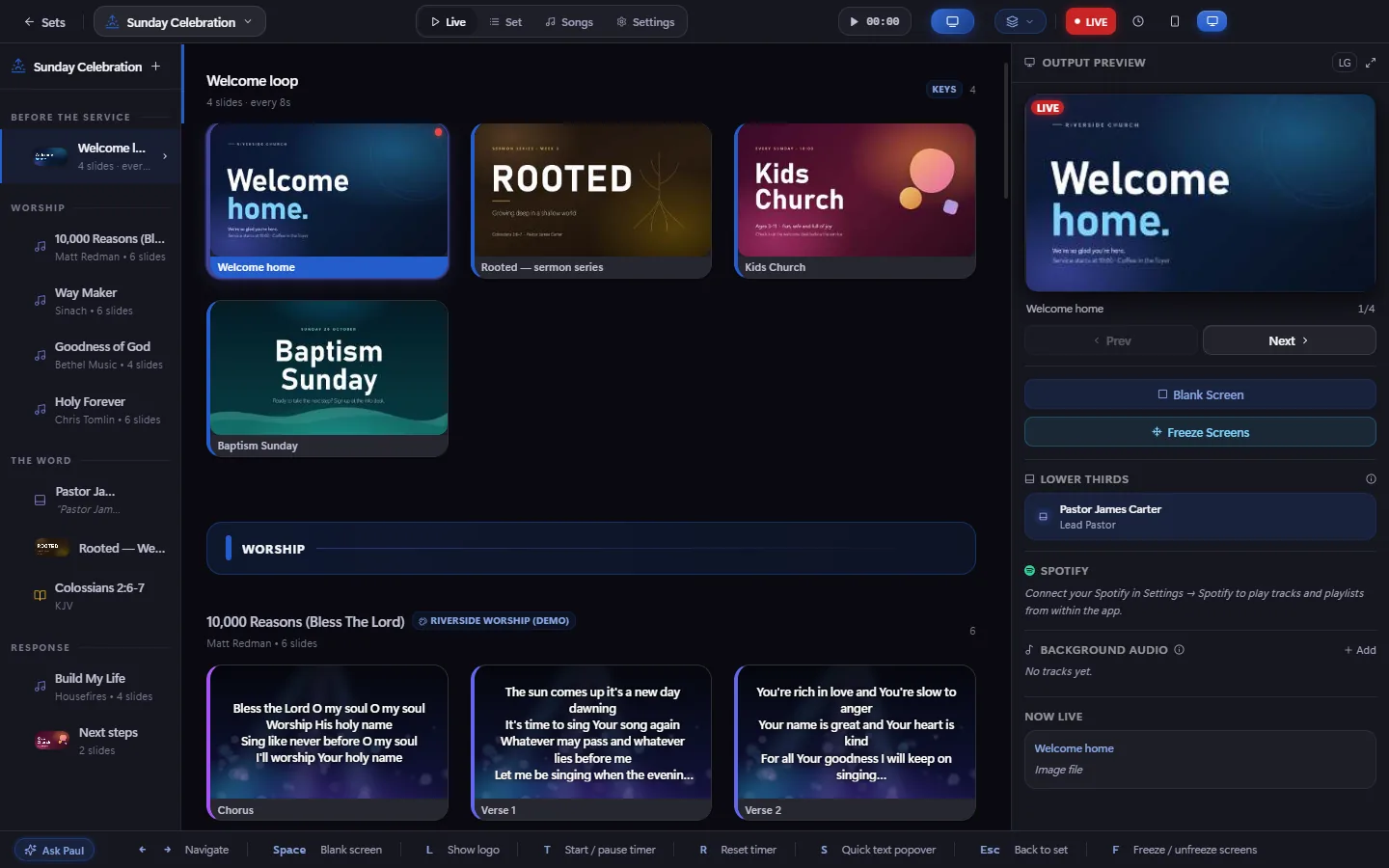
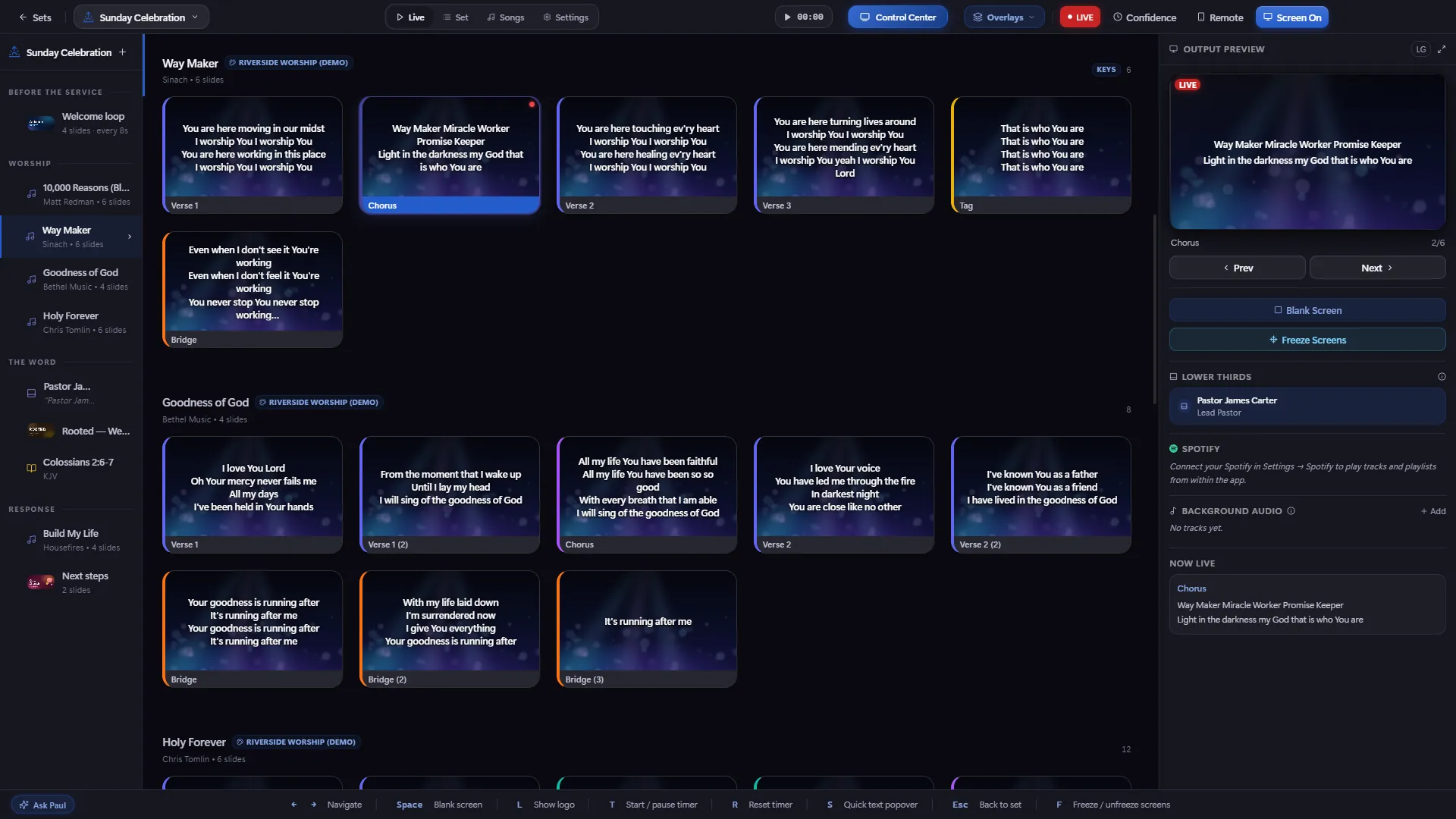
Supreme Presenter's Live mode: the running order on the left, a song's slides in the middle, and the output preview on the right
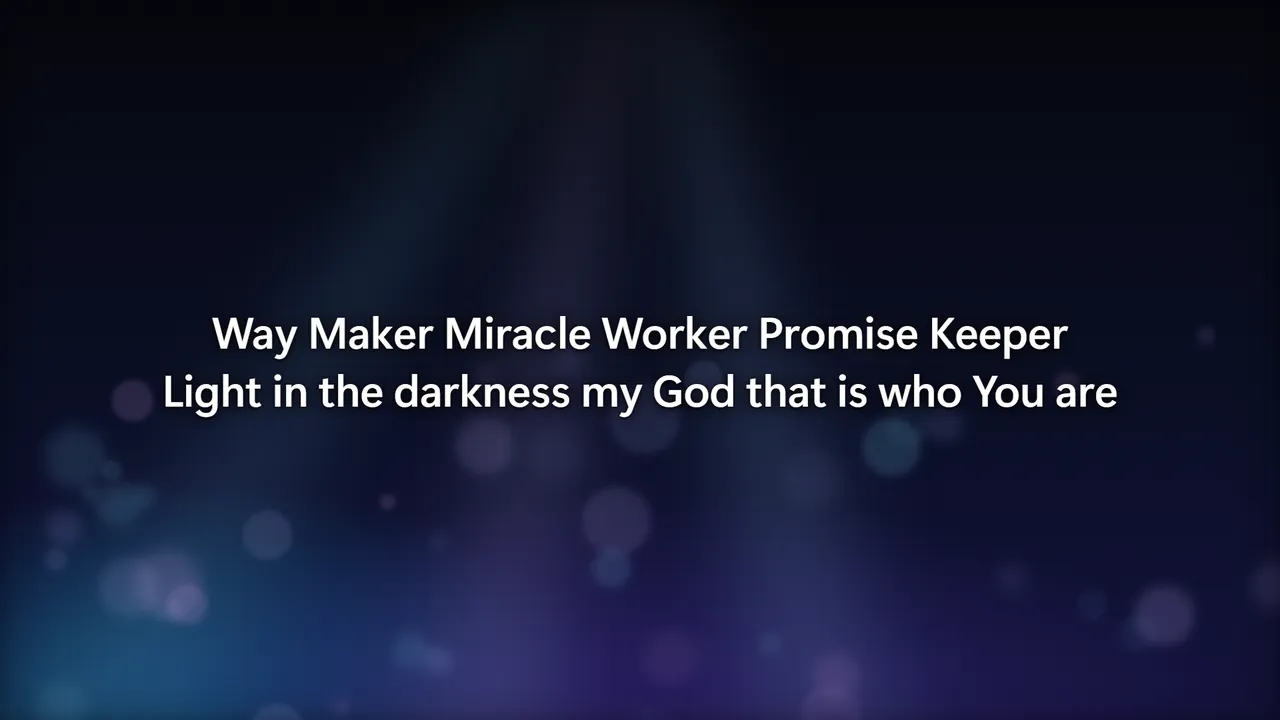
On the screenThe projector showing the chorus of Way Maker over a soft stage-light background
What the room sees

Clean on every screen.

Every image below is a real Supreme Presenter output — no mock-ups. Your graphics, your fonts, your backgrounds, sharp on a projector, a TV or a stream.

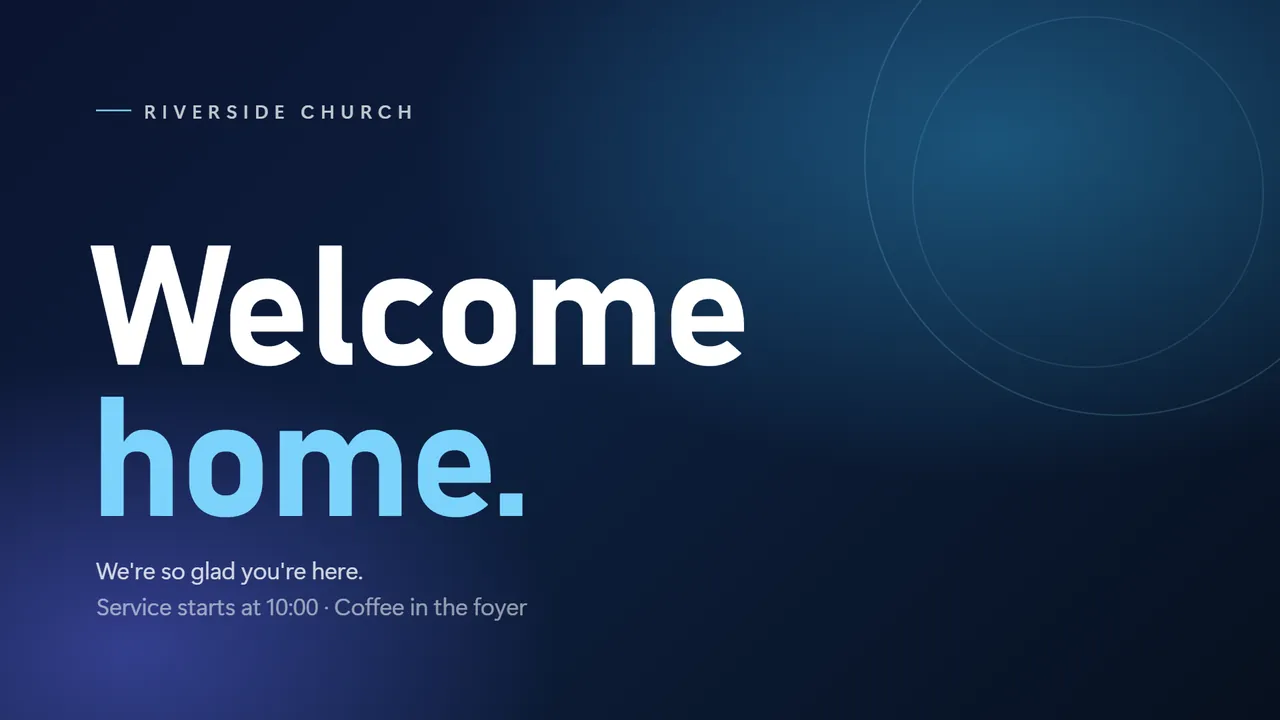
A welcome slide on the screen before the service
Welcome loop advances by itself
Song lyrics on a stage-light background
Worship lyrics over your background
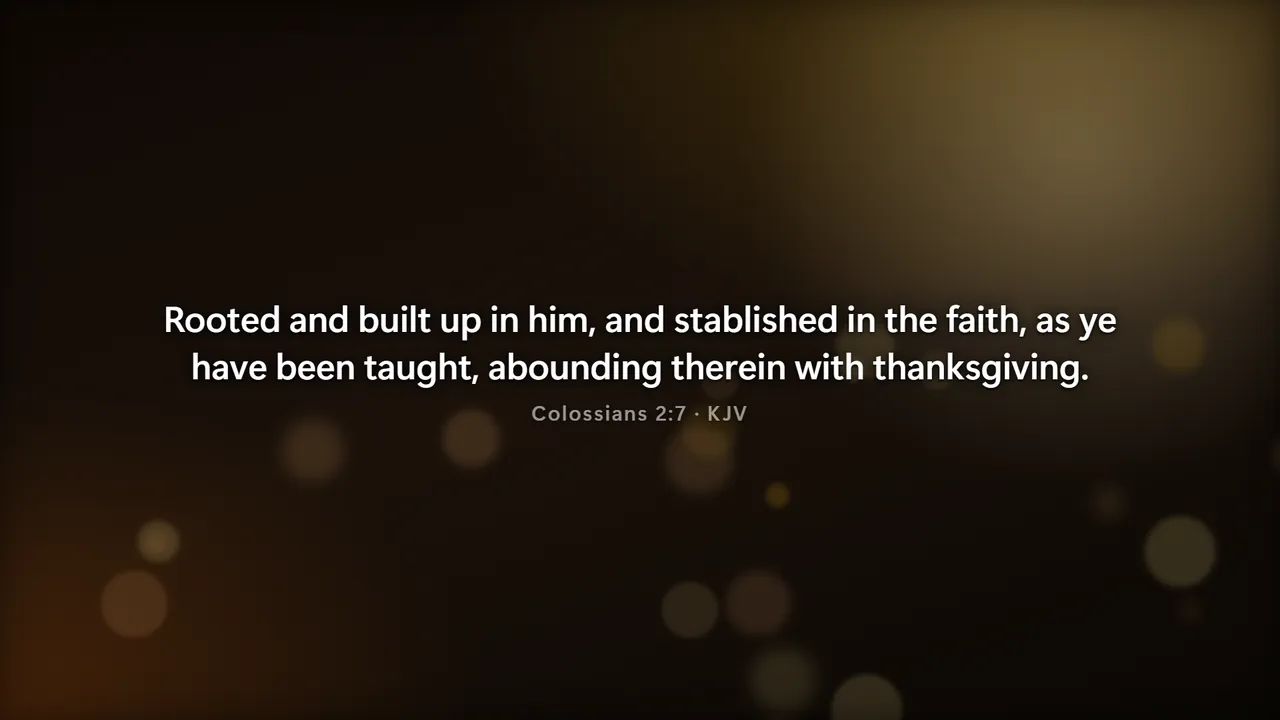
Colossians 2:7 on screen with its reference
The Word one verse per slide
Live mode

Click a slide. It's on the screen.

The whole running order on the left, every slide of every song in the middle, and exactly what the room sees on the right. Nothing reaches the projector you didn't mean to send.

  • Blank and Freeze — hide the screen, or hold it still while you fix something behind the scenes.
  • Overlays — a name, a notice or a countdown over whatever is showing.
  • Keys, MIDI or your phone — Space blanks, → moves on, a pad can run a whole sequence.
Live mode with a welcome loop of announcement graphics, the first one on screen
Set builder

Build Sunday in minutes.

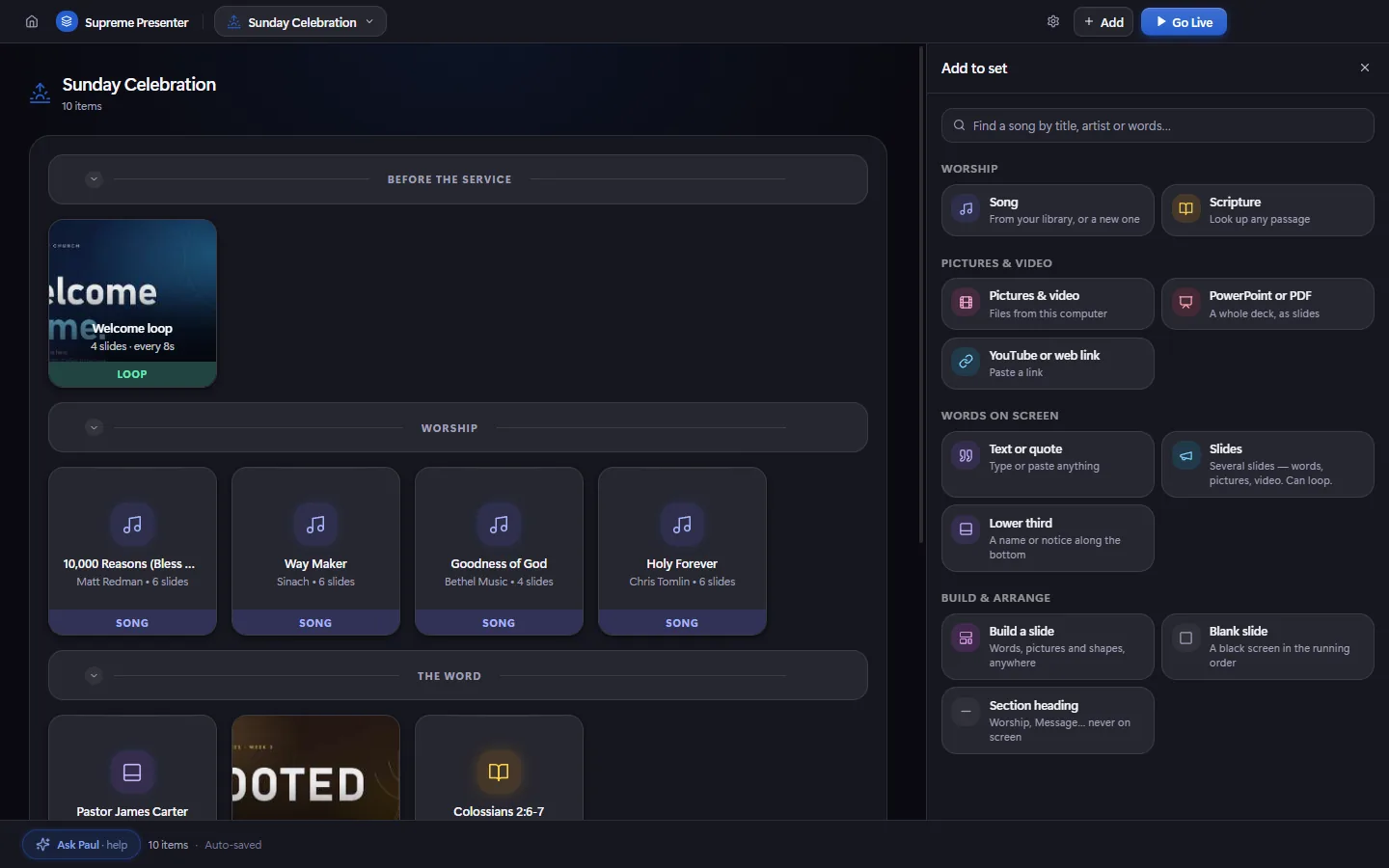
Lay out the service in sections — before, worship, the word, response — and add anything from one clear page.

  • Find any song by a line of the words — for when the band starts something nobody wrote down.
  • Scripture in seconds — hundreds of translations through a free online Bible key, with offline Bibles built in.
  • PowerPoint, PDF, pictures and video — drop them in; several pictures become a slide each.
The set builder with sections and the Add to set panel open
Lower thirds

Names and notices that look broadcast.

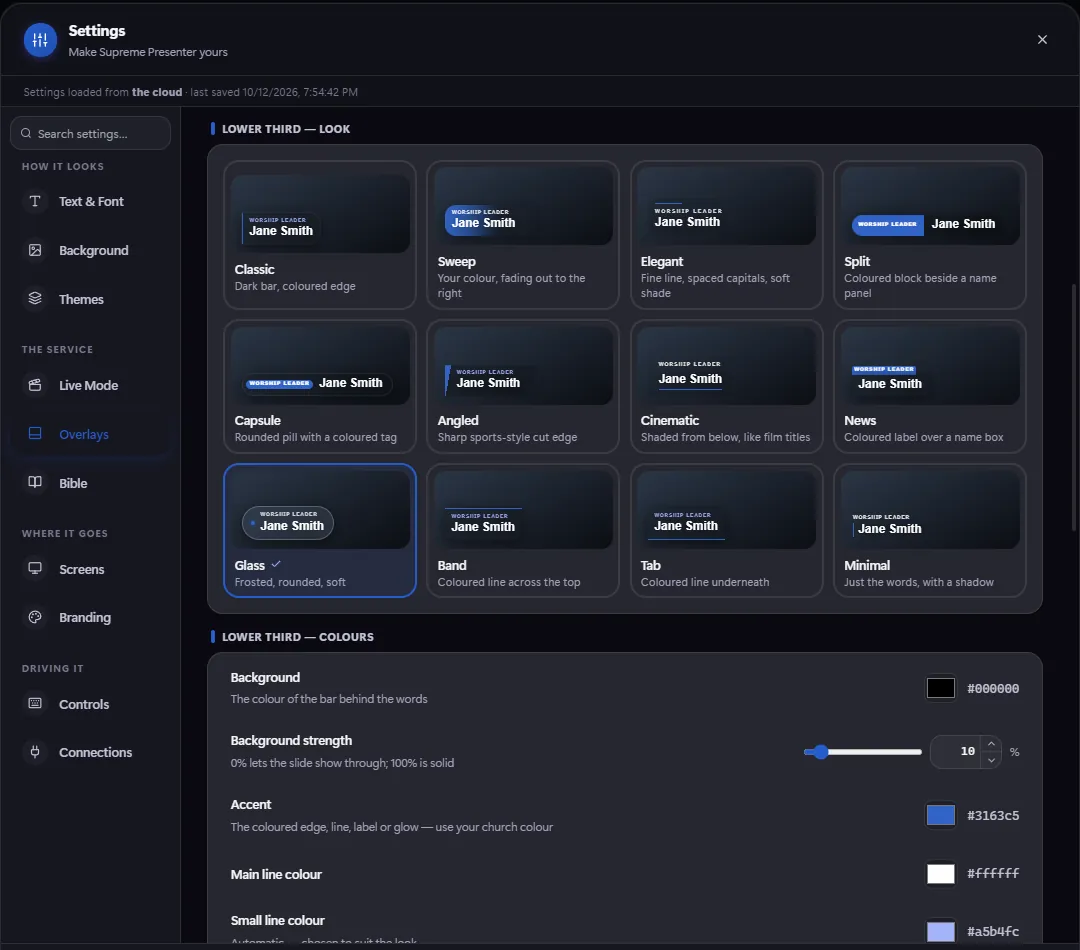
Twelve looks to start from — Classic, Sweep, Elegant, News, Glass and more — in your colours and your font. Pick how it arrives and how it leaves, and test it on the real screens before Sunday.

  • Your church colours, corners, shadow and logo.
  • Hides itself after a few seconds, or stays until you take it off.
  • Right-click to edit one mid-service — it updates on screen straight away.
Settings showing twelve lower third styles to choose from
Control Center

Every screen in the building. One map.

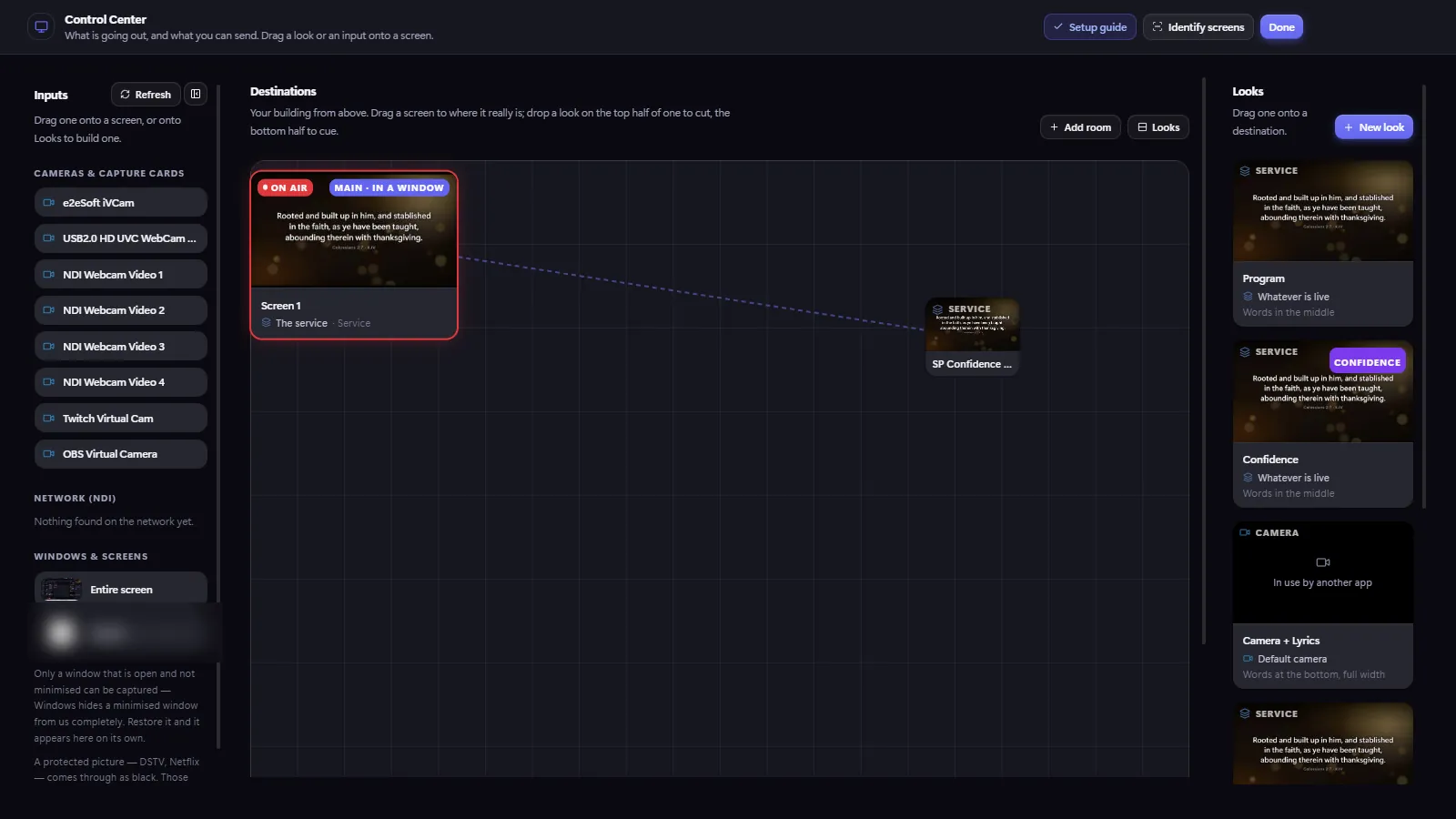
Drag a look onto a screen: lyrics on the main wall, a confidence view for the band, a camera with lyrics for the overflow room or the stream.

  • Main, stage and lobby screens, each showing what it should.
  • Confidence monitor — current slide, what's next and a clock.
  • Cameras and NDI — send lyrics to OBS or a video switcher.
The Control Center: inputs on the left, a map of the building's screens, and looks on the right
Songs

Your library, and your church's.

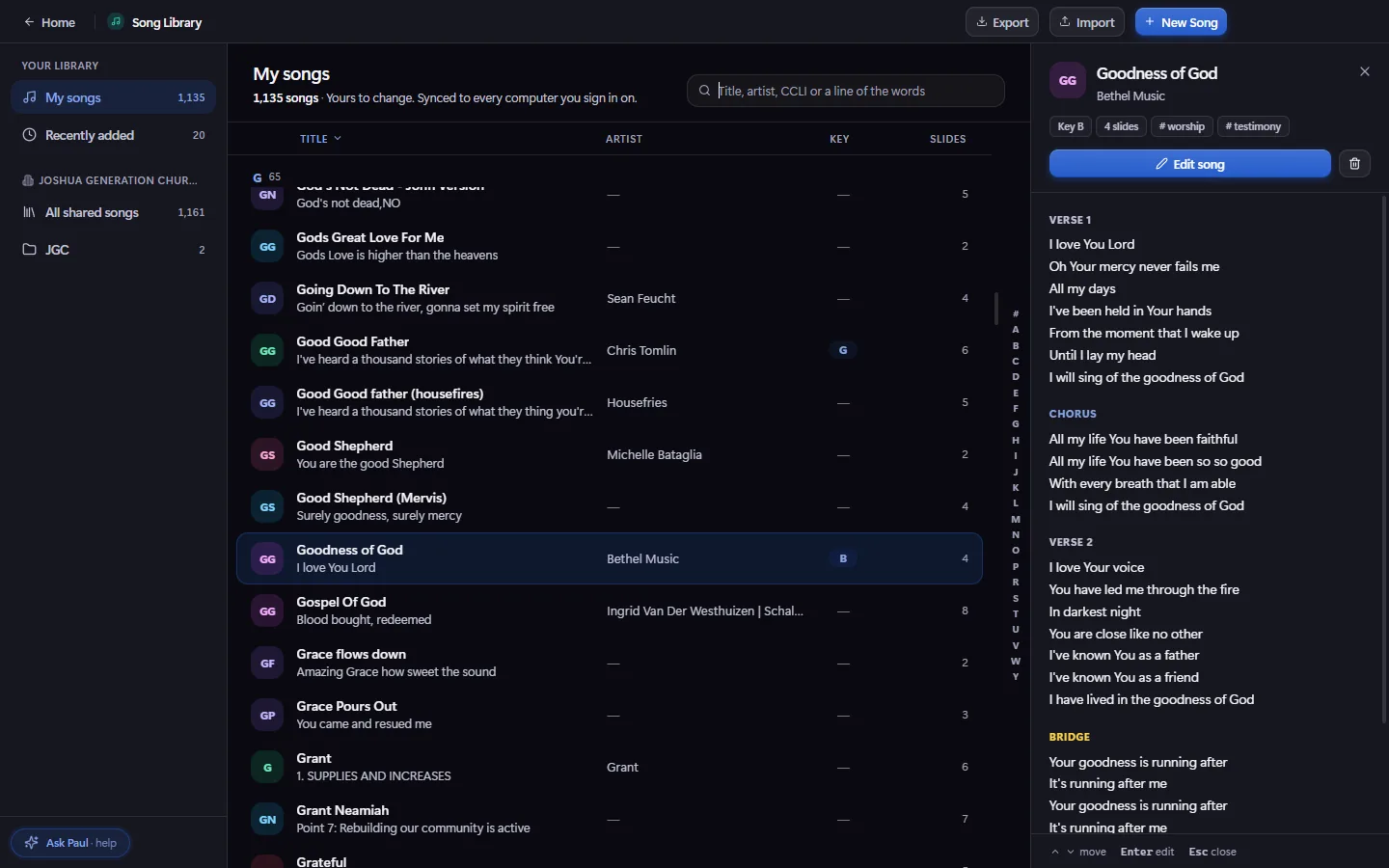
Your own songs, everything added recently, and the shared library your head office looks after — with its collections — all in one place, with the words right there.

  • Syncs to every computer you sign in on.
  • Imports SongSelect, ChordPro, OpenLyrics — and leaves out songs you already have.
The song library with Goodness of God open in the preview
Dark or light

Easy on the eyes at 7 a.m. and 7 p.m.

A dark booth or a bright office — switch the whole app between dark and light, in your church's accent colour. Drag to compare.

Live mode in the dark theme Live mode in the light theme
DarkLight
And the rest

Built for the people who run it.

Most church AV desks are run by volunteers. Everything here is designed so the person at the desk can relax.

Ask Paul, the built-in helper

Stuck mid-service? Ask in plain words — "how do I loop the welcome slides?" — and Paul answers with where to click.

Ask Paul · help

Updates that find you

New versions arrive by themselves on Windows and Mac — and never interrupt a live service.

Plan at home

Build the set during the week, sign in at church, and it's all there.

Multi-campus

Head office shares songs and pushes this week's slides to every campus.

Themes

A named look — background, font, size, shadow — set once, used on any song.

MIDI & macros

Map pads to next, blank or a full sequence of actions.

Phone remote

Move slides from your phone — from the stage or the back row.

Works offline

No internet on Sunday? Your songs and sets are already on the computer.

Why Supreme Presenter

Pro features. A fraction of the cost.

The big desktop presenters ask for hundreds up front, then charge more for screens, media and control. Everything is in one simple subscription here.

What you getSupreme Presenter All inTypical pro app
Unlimited songs & sets
Hundreds of Bible translations, online & offline
Multiple screens, confidence monitor
Lower thirds with twelve looks
MIDI control & macros
Cloud sync across computers
Built-in help assistant
Starting price$14.99 / mo$399+ up front

Comparison reflects common pricing for established desktop presentation apps. Features and prices vary by vendor.

Now available

Meet Supreme Planner

Plan services from your phone. Schedule the set, roster your team and assign roles — then it all flows straight into Supreme Presenter on Sunday.

  • Service scheduling & order builder
  • Team rostering & role assignments
  • Reminders so nobody forgets
  • The same song library as Presenter
Explore Supreme Planner
Supreme Planner
Now available

Plan the service, roster the team, and send it all to Supreme Presenter — from your phone.

Make Sunday
the easy part.

Try everything free for 14 days. Windows & Mac. No card required.

See pricing